
Submit a Tenant Water & Wastewater Payment on myEssex
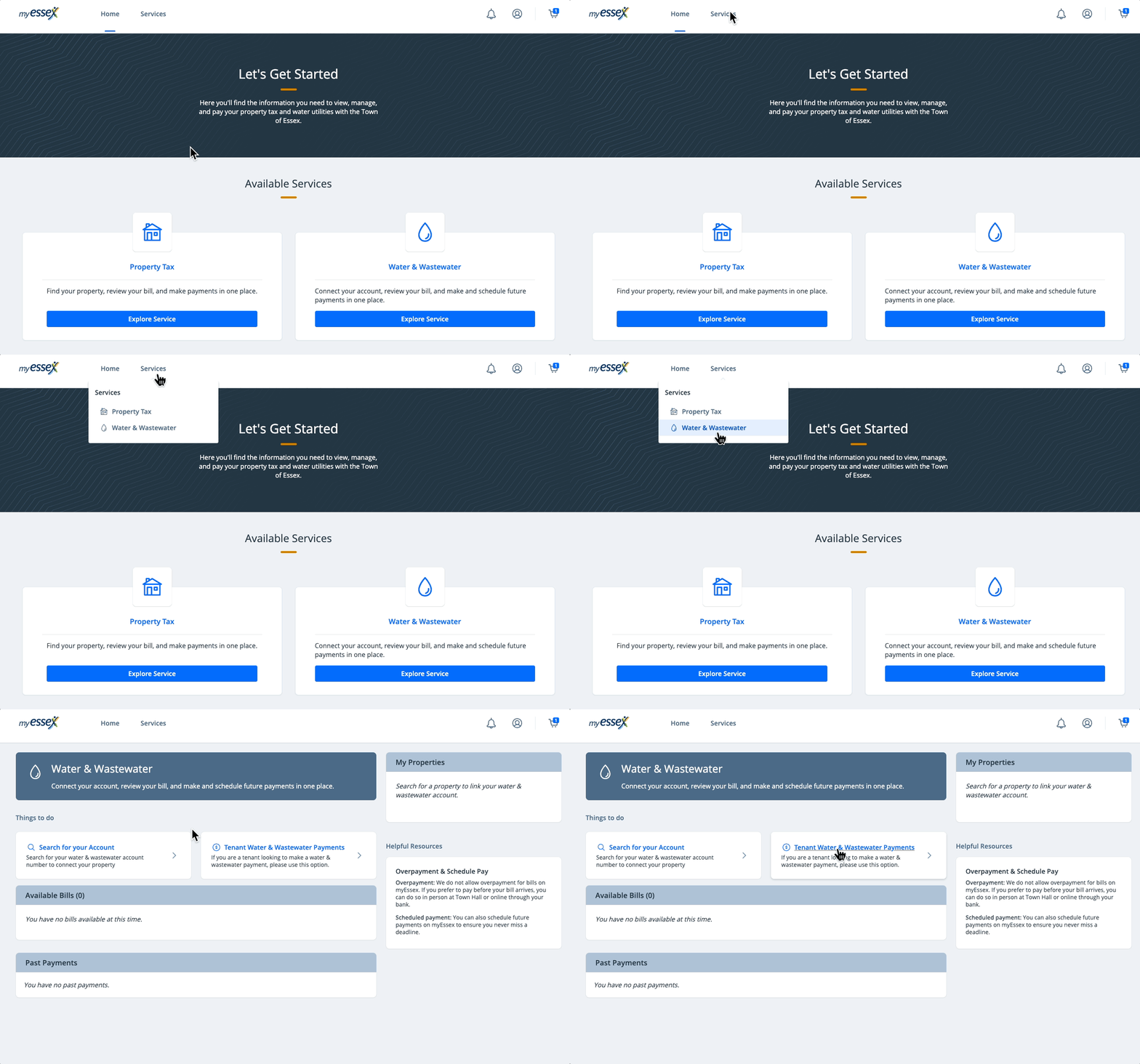
Tenants can now easily make payments toward their landlord-titled water and wastewater accounts on myEssex! Log in (see Create a Profile on myEssex) and follow the quick steps below to get started:
-
Select Water & Wastewater under "Services"
-
Complete the required fields, select the appropriate responses and click Add to Cart
-
Click the cart icon in the upper right corner and select Continue to Checkout
-
Select a payment method and click the blue Pay $--.-- button to submit your payment
Related step-by-step guides: